OVERVIEW
the tool
In order to create realistic fluorescent light behavior in Houdini that mimics the characteristic flicker and warm-up phase of real tubes. A Python-based script that generates procedural flicker patterns using seeded randomization and exponential ramping was born! The tool evolved into a controller system that allows for per-object customization. Fluorescence is easy to integrate, tweak, and scale for any property, not just light intensity!
LET THERE BE LIGHT
realistic flicker, driven by real noise
Keyframing a light flickering on is already a repetitive task when you have a scene filled with fluorescent lights. Take it a step farther when you want to recreate the warming-up that a real bulb will do and keyframing becomes extremely hard to do, nonetheless modify when you need to make changes.
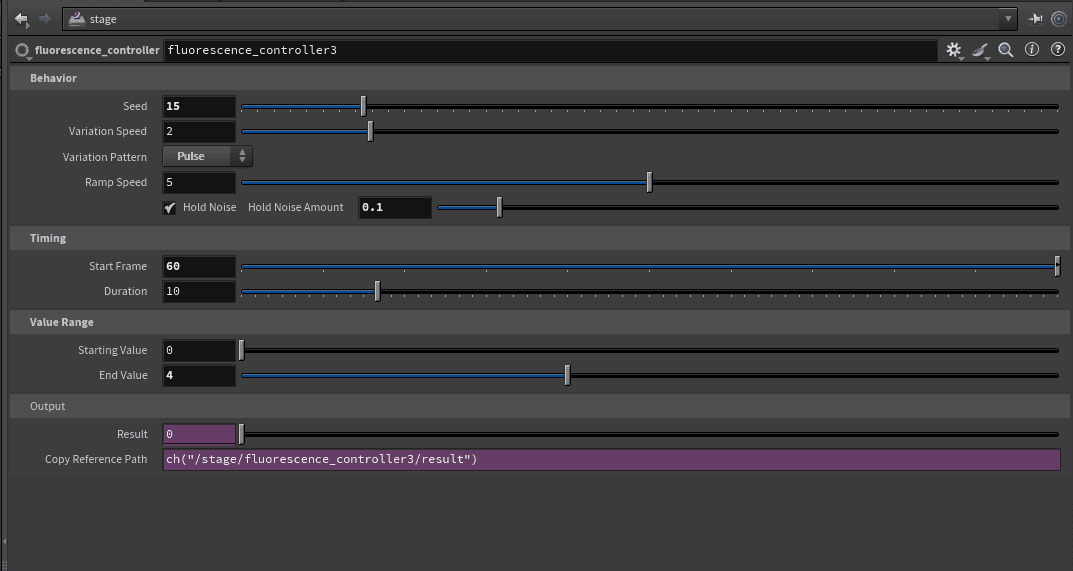
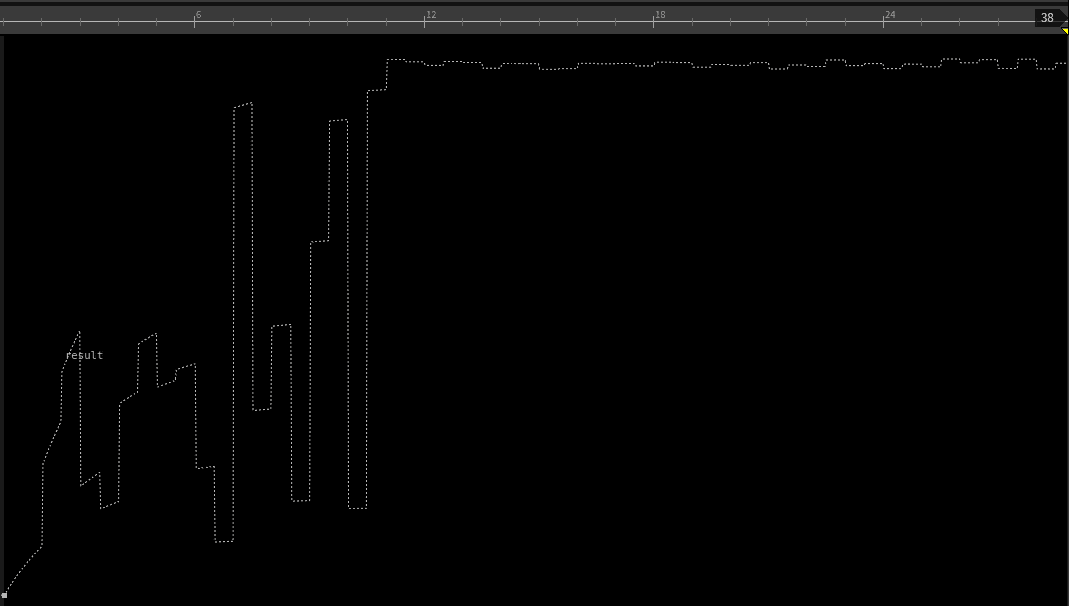
Fluorescence was created to fix that. The main logic around the tool is to set a frame where the light starts to warm up, and then a frame where it is fully on. An additional parameter for the flicker intensity then controls how often the light flickers. These starting three parameters are plugged into a simple equation with noise to create a 'ramp-up' effect where the light flickers on and powers up as the intensity slowly increases to your desired strength.
full control, super flexible
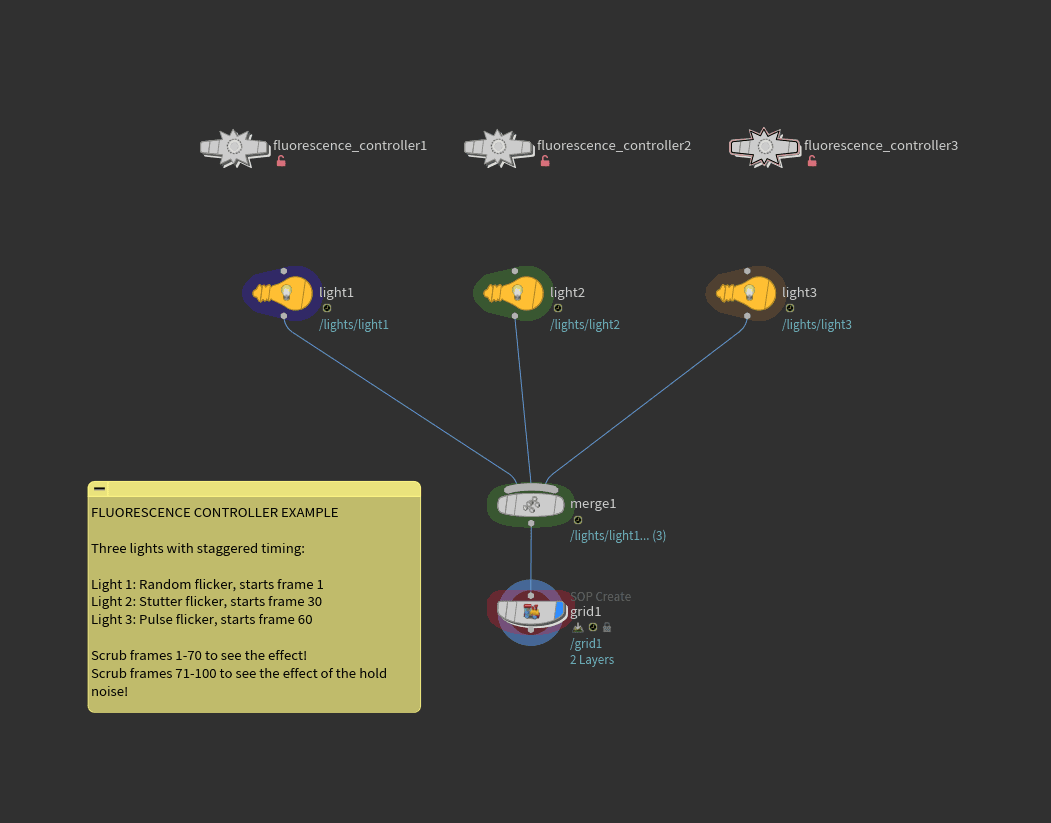
Fluorescence aims to create a toolset that requires no keyframes, easy to iterate and expand, and easy to scale to any use case.
Every aspect of the tool is exposed as an easy to use variable, you can control start/stop timing, as well as the strength of the flicker as the total value ramps-up. You can control the speed of that ramp-up and the 'hum' of the value after your stop timing for continuous animation.
This tool was originally design and built to be used as the intensity value on a light. The code itself isn't specific to lights, instead it is flexible enough to plug and play on any animate-able value. I've used it on position values to ramp-up something as it chaotically built up energy.
AI COMMENTARY
the plan
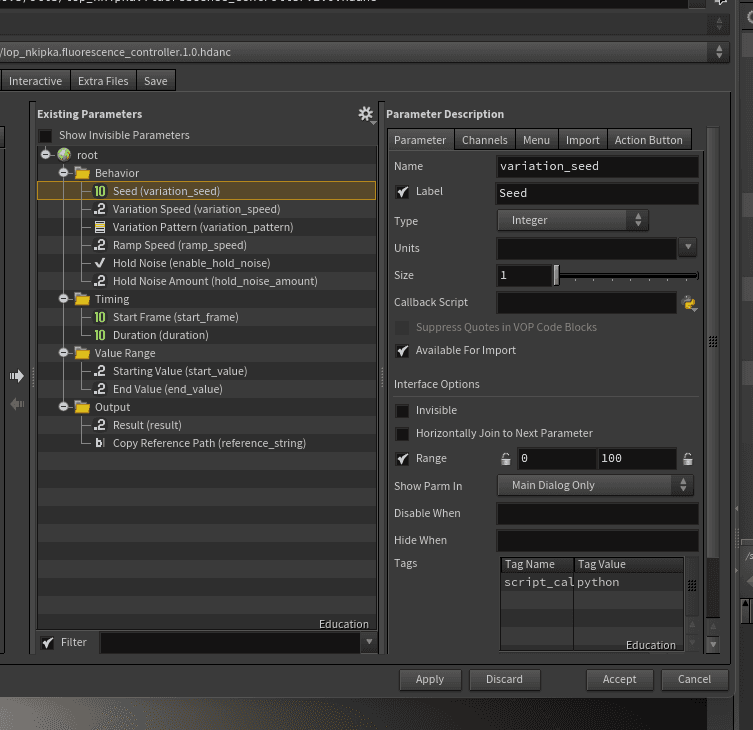
The plan for fluorescence was a bit unconventional. I am still actively learning Houdini, and part of that process is learning the tools and structure that Houdini provides to make it your own. I had a goal to create procedural generated lights and knew how I would achieve that effect with keyframes. I drew out the basic requirements for the tooling, and then took that into Claude and theory crafted what the tooling would need.
The plan was to make a noise driven tool that exposed values for frame start/stop, flicker strength, and then the start and end value. What I didn't have a plan for was the 'warming-up' of the bulb to mimic the gas inside of a fluorescent bulb heating up. Claude's solution was a math based ramp approach that would take in all the variables and apply a ramping effect to the noise so the light not only flickers on, but increases its overall intensity as it flickers.
hand-in-hand
This is where the modern day AI absolutely shines in my opinion. I found the best workflow and ethical use of AI in this project. I know basic python so I could iterate basic ideas that way, and ask Claude about my code. Specifically I am asking about the basic constructs I know, and then asking for more efficient and elegant ways to accomplish what I am doing.
As an artist, it is hard to embrace the complexity of code. As much as I love the technical challenge of it, the art comes first for me personally. Being able to leverage AI to learn code, and accomplish some tasks that are outside of my skill level allows me to become a powerhouse of a one-person studio. Not only am I learning how to be a better technical artist this way, the use of AI here allows me to elevate my entire piece in a way that shines unlike other forms of generative AI.
Yes, it is less efficient to manually code and troubleshoot with the AI instead of just having the AI do everything. But I have personal breakthroughs and growth through this workflow and it means I will only be better in the future, both with and without AI.
This code block is the engine that powers the controllers. The engine runs in the /obj and generates all the noise data once. The controller interprets this one engine in combination with all the parameters you change through the UI to put out a single value that drives the procedural animation.
SO WHAT?
the takeaway
This project taught me that the future of technical art isn't about whether you use AI or not. It's about whether you can direct it, critique its output, and ship tools that actually work in production. AI provides an amazing opportunity to learn and grow your own skill set. If you work step by step with it, you have a full understanding of what every line of code is doing under the hood.
This tool has already saved me dozens of hours of manual light animation and made a tool that is not only functional at controlling lights, but is versatile in a way that has other applications.
I believe this tool is genuinely useful, especially for any sort of lighting setup. I spent a bunch of extra time refining the tool and packaging it nicely, so I am offering a download link. You can download it here through. It is a google drive link and it includes the two otls, and example file, and a readme so you can get started running. Please feel free to email me with any comments or concerns, I hope you get as much use out of the tool as I am getting!